Comparing Business Operating System Software: Operations & Automation
·7 min read
- AiGeeks
- business operating system software
- operations management software
- all in one business software
- business software integration
- AI workflow automation
- process automation
- custom software
Most growing businesses run on too many separate tools. Time tracking lives in one app, projects in another, client details in a spreadsheet and reports in someone's inbox. Business operating system software brings those pieces into one connected system, so your team works from a single source of truth.
This guide compares business operating system software with operations management software and other options. It explains what to look for, how integration and automation fit in, and how to choose between buying and building.
What Is Business Operating System Software?
Business operating system software is a platform that manages many parts of a business in one place. It can cover time tracking, projects, people, clients, finance and reporting, with shared data underneath. Instead of moving information between apps by hand, every part of the system reads from the same records.
Think of it as the foundation your daily work runs on. Operations management software is closely related. It focuses on how work is planned, tracked and delivered, and it can be one part of a larger business operating system.
Signs Your Business Needs One Connected System
Look for these warning signs:
You copy the same data into several tools or spreadsheets.
Nobody is sure which version of a number is correct.
Reports take days to put together by hand.
New team members must learn many different apps.
Managers cannot see projects, time and costs in one view.
Work is delayed because approvals sit in someone's inbox.
If several of these sound familiar, the problem is usually the setup, not your people. A connected system removes the manual gaps between tools.
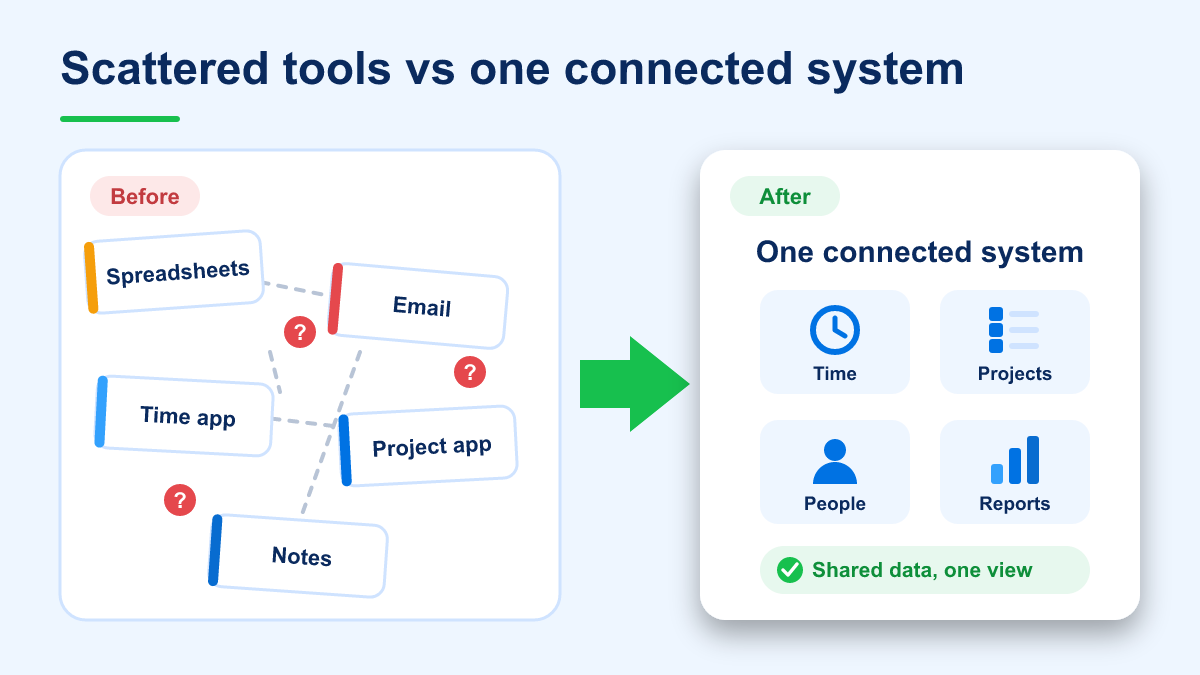
Scattered tools compared with one connected system.
What Business Operating System Software Includes
The exact modules vary by product. These are the areas most buyers look for:
Time tracking and attendance: who worked on what, and for how long.
Project and task management: plans, owners, deadlines and progress.
People and HR records: employee details, leave and onboarding.
Clients and sales: contacts, deals and client projects.
Finance and billing: invoices, costs and budgets.
Dashboards and reporting: live views of the numbers that matter.
Workflow automation: rules that move work along without manual steps.
Integrations: connections to the tools you already use.
Ask each vendor which of these are built in and which need extra tools.
Operations Management Software vs Other Options
The names overlap, so it helps to compare them side by side.
TypeMain purposeBest forWatch out forOperations management softwarePlan, track and deliver day-to-day workTeams that need control of projects, resources and deliveryMay not cover finance, HR or salesBusiness operating system softwareRun many business functions in one connected systemGrowing businesses with scattered toolsCan be large, so check that each module fitsERPManage finance, supply and core recordsLarger or more complex organisationsCan take longer to set up and changeCRMManage clients, leads and salesSales and client-facing teamsDoes not cover operations or HRAll in one business softwareBundle several basic tools in one productSmall teams that want a quick startEach tool may be basic, with limits as you grow
All in one business software is attractive because it is simple to start with. The trade-off is that each tool inside it may be less deep than a specialist product. Check the features you rely on most before you commit.
Business Software Integration: Connect What You Already Have
You do not always need to replace everything. Business software integration connects your existing tools so data moves between them automatically. There are four common ways to do it:
Built-in connectors: ready-made links between popular apps.
Integration platforms: tools such as Zapier, Make or n8n that join apps with simple rules.
API integrations: custom connections built with each tool's programming interface.
A single platform: one system built around your process, replacing several tools.
Integration works best when your tools are good but isolated. If they are outdated, duplicated or held together by spreadsheets, replacing them with one platform is often cleaner.
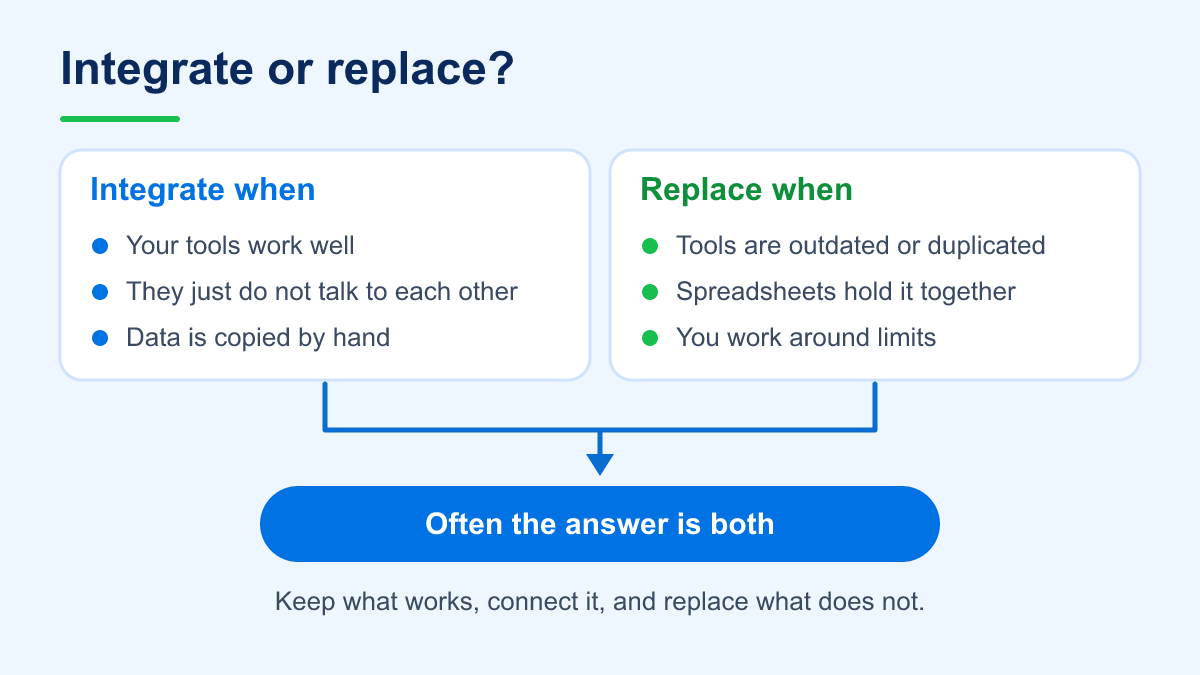
When to integrate your tools and when to replace them.
AI Workflow Automation: What to Automate First
AI workflow automation uses software rules and artificial intelligence to move work forward without manual effort. Rules handle predictable steps, such as sending a reminder when a task is late. AI helps with less predictable ones, such as sorting incoming requests or summarising long notes.
Start small. Pick tasks that repeat often, follow clear rules and waste time today. Good first candidates include:
Copying data between tools.
Sending approvals and reminders.
Building weekly reports.
Sorting and routing new requests.
Drafting summaries of meetings or documents.
Add AI only where it saves real time. Plain rules are cheaper and easier to check.
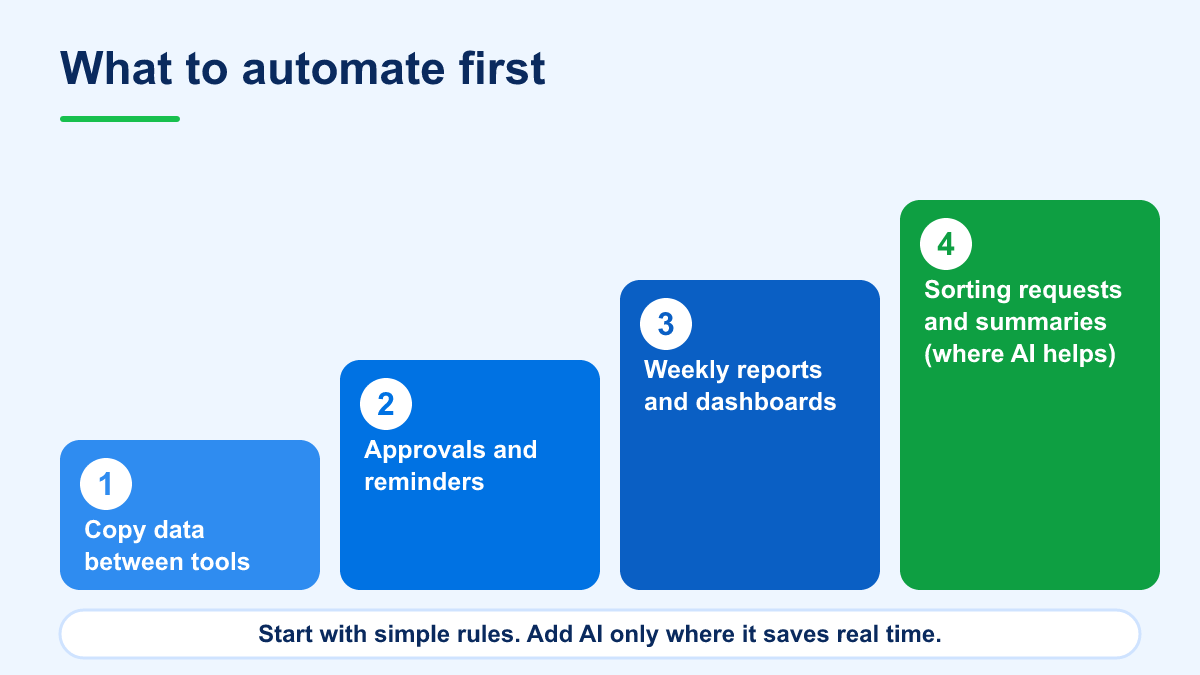
A simple order for what to automate first.
When your needs go beyond ready-made tools, process automation software development can build automations that fit your exact steps. This makes sense when your process is unusual or when off-the-shelf tools cannot connect to your systems.
Off-the-Shelf or Custom: How to Decide
There is no single right answer. Off-the-shelf software is faster to start and often costs less up front. A custom platform is built around how you work, so there is less to work around. It takes longer to start and costs more up front, but it can save time and licence fees later.
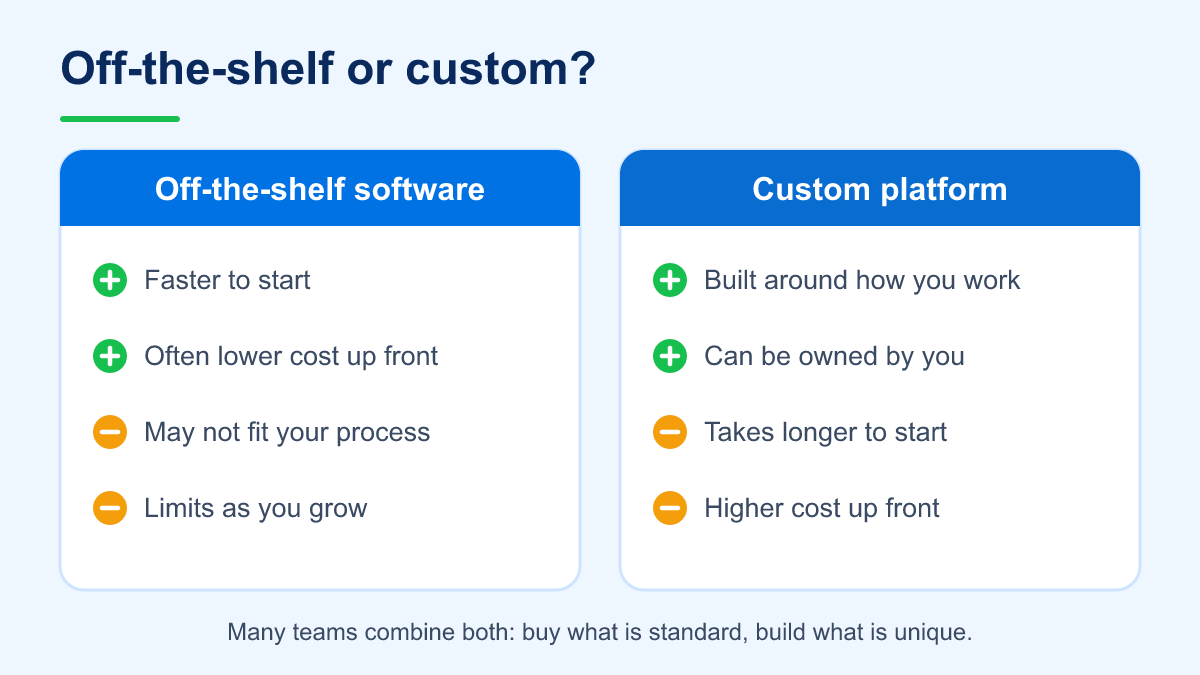
Off-the-shelf software compared with a custom platform.
Choose off-the-shelf software when:
Your process is fairly standard.
You need to start within weeks.
Your budget is tight.
Choose a custom platform when:
Your process is unusual and tools force workarounds.
Your tools cannot be connected well enough.
You have outgrown the limits of your current software.
You need process automation software development for steps no tool covers.
You want to own the code and the data.
How to Choose Business Operating System Software
Use this checklist when you compare options:
List your must-haves. Write down the five tasks the system must handle well.
Map your current tools. Note what each one does and what data it holds.
Check integration. Confirm it connects to the tools you will keep.
Test with real work. Run a pilot with one team before you commit.
Look at reporting. Make sure you can see the numbers you need without extra work.
Check security and access. Ask about user roles, backups and where data is stored.
Plan the data move. Ask how existing spreadsheets and records will be brought in.
Ask about ownership and support. Know who owns the data and the code, and who helps when something breaks.
How AiGeeks Helps You Connect Everything in One System
AiGeeks is a venture studio that builds and looks after software products. Our Replace service turns scattered tools and fragile spreadsheets into one connected platform designed around how your business works. We bring essential operations together, from employee activity and client projects to time tracking and reporting, so you get better visibility and control.
If your business runs on Excel, we turn those spreadsheets into secure web apps, dashboards and automated workflows. We migrate your existing data and design the system around the way your team already works. Our work includes PayPulse, which brings HR pay data into one dashboard. We also built a due diligence platform for Metis Insights, a London risk intelligence firm.
You stay in control. Once a project is paid for, the code, data and IP belong to you. We also sign an NDA before reviewing anything sensitive.
For new work, we give a fixed quote after a free consultation, with a clear scope and timeline.
After launch, we do not walk away. We offer managed hosting, security monitoring, backups, bug fixes, updates and technical support through one point of contact. If you are searching for an AI automation agency Dubai businesses can work with, start with a free consultation.
Keep Everything Running in One Place
The right system should save time, not add another tool to manage. Start with the tasks that cost you the most time today, and build from there.
Not sure whether to integrate, replace or build? Book a free consultation with AiGeeks at https://aigeeks.ae/contact-us.